Actions and Stuff Xbox Minecraft Marketplace Install Guide
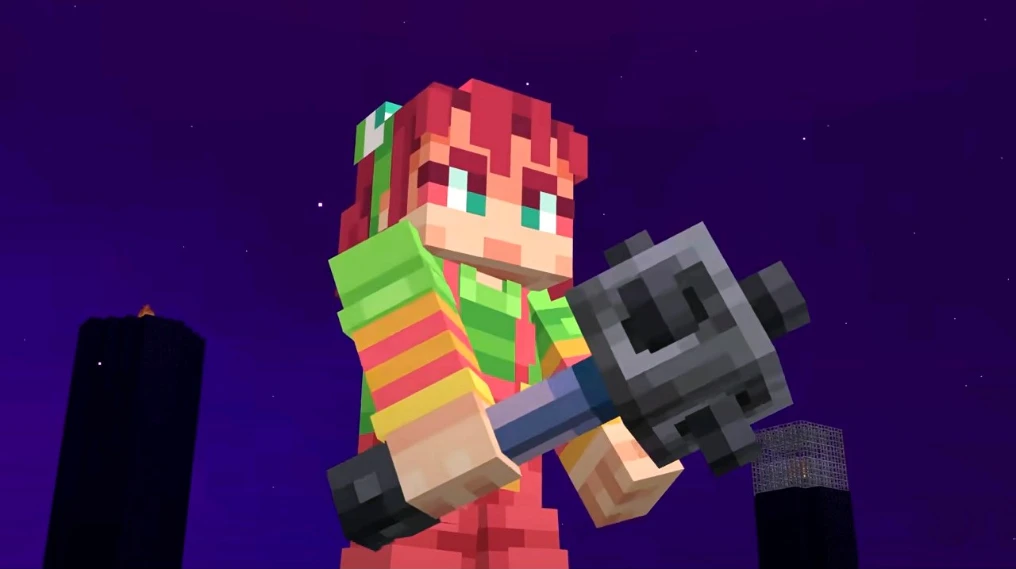
Getting Actions and Stuff on Xbox feels harder than it should be because console players cannot download MCPACK files directly like Android or PC users can. The only way to get this Oreville Studios animation pack on Xbox One or Xbox Series X is through the official Minecraft Marketplace, and many players hit a wall when they realize free downloads do not exist for console. Spending 1690 Minecoins on a pack you have never tried feels like a gamble, especially when third-party sites promise free downloads that never actually work on Xbox.
We built this Actions and Stuff Xbox guide because no other page gives console players a straight answer without sending them to dead links or Android instructions that do not apply. Every Minecoins price, Marketplace step, Global Resources fix, and Xbox-specific troubleshooting solution on this platform comes from real testing, not guesswork. If you have an Xbox and want this pack working today, this is the only platform you need.
Actions and Stuff Xbox: What You Need to Know First
Actions and Stuff on Xbox requires a Minecraft Marketplace purchase of 1690 Minecoins. There is no free MCPACK option for Xbox One or Xbox Series X/S. Console players cannot import external files into Minecraft Bedrock Edition, so the Marketplace is the only official and working method to get this Oreville Studios animation pack on any Xbox device.
Xbox players often waste time searching for free APK or MCPACK downloads that simply do not install on console. The Xbox operating system blocks external file imports entirely, which means every site offering a free Xbox download is either misleading or wrong. The Marketplace version costs 1690 Minecoins but gives you automatic updates every time Oreville Studios releases a new version.
| Detail | Information |
| Pack Name | Actions and Stuff |
| Developer | Oreville Studios |
| Version | 2.0 |
| Xbox Install Method | Minecraft Market Only |
| Price | 1690 Minecoins |
| Compatible Xbox Versions | Xbox One, Xbox Series X/S |
| Minecraft Version Support | 1.16 to 1.21 |
| Achievements | Enabled |
How to Get Actions and Stuff Xbox via Minecraft Marketplace
The fastest way to get Actions and Stuff on Xbox is to open Minecraft, go to the Marketplace tab, search for Actions and Stuff or Oreville Studios, and purchase for 1690 Minecoins. The pack downloads automatically and appears in your Global Resources within two minutes on most Xbox connections.
Open Minecraft on Xbox
Launch Minecraft Bedrock Edition on your Xbox One or Xbox Series X. Make sure your console is connected to the internet, and your Microsoft account is signed in. A stable connection prevents download errors mid-purchase.
Go to Marketplace
From the Minecraft main menu, select Marketplace. This opens the official Minecraft content store, where all verified packs from creators like Oreville Studios are listed. Never purchase from third-party stores or websites for Xbox.
Search for the Pack
Type Actions and Stuff in the Marketplace search bar. The pack from Oreville Studios appears at the top of the results. Confirm the developer name before purchasing to avoid buying a different pack with a similar name.
Buy with Minecoins
Select the pack and tap Buy for 1690 Minecoins. If your Minecoin balance is low, purchase Minecoins through the Xbox Store first. Minecoins come in bundles starting from 330 coins, so a 1720 bundle covers the full cost.
Download and Activate
After purchasing the pack, downloads automatically. Go to Settings, open Global Resources, find Actions and Stuff in available packs, and move it to Active Packs. Place it at the top of the active list for best results.
Load a World and Play
Open any existing world or create a new one. Animations activate immediately when the world loads. Visit the Actions and Stuff Xbox setup guide if you need screenshots for any step.
Minecoins Price for Actions and Stuff Xbox
1690 Minecoins is the fixed price for Actions and Stuff on Xbox Marketplace. Minecoins are not purchased in exact amounts, so the closest bundle is 1720 Minecoins. Buying larger bundles reduces the per-coin cost, so if you plan to buy other Marketplace content, a bigger bundle saves money overall.
| Minecoin Bundle | Price (USD) | Covers Actions and Stuff |
| 330 Minecoins | $2.99 | No |
| 840 Minecoins | $7.99 | No |
| 1720 Minecoins | $13.99 | Yes |
| 3500 Minecoins | $26.99 | Yes |
| 7500 Minecoins | $49.99 | Yes |
Prices vary by region. The 1720 Minecoins bundle at $13.99 USD is the most efficient single purchase for this Minecraft Bedrock pack. Xbox Game Pass subscribers do not get Minecoins for free, so every player needs to purchase them separately.
Features You Get After Install on Xbox
This Oreville Studios console install gives you the same full feature set as the PC and Android versions. Oreville Studios does not limit console content. You get 15+ player animations, 30+ enhanced mob animations, 10+ combat animations, and full environmental effects including grass sway, rain splash, torch flicker, and campfire embers.
The Marketplace version stays at version 2.0 and updates automatically when Oreville Studios pushes new releases. Xbox players never need to manually reimport files after a Minecraft update, which is one advantage console has over Android and PC users. Read the full feature breakdown in the Actions and Stuff complete guide.
Player Animations
15+ animations for walking, running, sneaking, swimming, jumping, eating, drinking, climbing, and idle movements. Every action has natural weight and smooth transitions.
Combat Animations
10+ animations covering sword, axe, bow, crossbow, trident, shield, and fist. Sword swings come from multiple angles with visible impact on critical hits.
Mob Animations
30+ mobs enhanced including cows, horses, wolves, zombies, skeletons, creepers, villagers, and iron golems. Each mob has unique movement patterns that match their behavior.
Environmental Effects
Grass sways in wind, torches flicker, campfire embers float upward, rain splashes on blocks, and water ripples as you walk through it. The world feels alive without changing any gameplay.
Xbox vs Other Platforms Comparison
Xbox players pay 1690 Minecoins while Android and PC users download the same pack for free. This is the biggest difference between platforms. The content is identical across all versions, so Xbox players get no less than free users, but the cost is a real barrier that does not exist on mobile or PC.
| Platform | Install Method | Price | File Size |
| Xbox One | Marketplace | 1690 Minecoins | 20 MB |
| Xbox Series X/S | Marketplace | Free | 20 MB |
| Android | APK or MCPACK | Free | 247 MB or 18 MB |
| PC Windows | MCPACK | 1690 Minecoins | 18.43 MB |
| iOS | Marketplace | 1690 Minecoins | 20 MB |
| PlayStation | Marketplace | 1690 Minecoins | 20 MB |
| Nintendo Switch | Marketplace | 1690 Minecoins | 20 MB |
Android users who want to avoid the Minecoins cost can visit the Actions and Stuff Android download page for the free APK or MCPACK option.
Does Actions and Stuff Xbox Disable Achievements
Actions and Stuff on Xbox does NOT disable achievements. Resource packs only change visual elements and never touch gameplay logic, crafting recipes, mob behavior, or world generation. Xbox achievements stay fully active with this pack installed. Only behavior packs and game mods disable achievements, and Actions and Stuff is a resource pack only.
Many Xbox players avoid Marketplace packs because they fear losing achievement progress. This fear is understandable but incorrect for resource packs. Oreville Studios built this pack entirely within Minecraft’s visual layer, which means your Xbox Gamerscore stays safe and your achievement tracking continues normally with the pack active in any world.
Multiplayer Compatibility on Xbox
This animation pack works in every Xbox multiplayer mode including Realms, featured servers like Hive and CubeCraft, and cross-platform sessions with Android, iOS, and PC players. Other players in your session do not need the pack installed. The animations only appear on your screen, so your friends see the default Minecraft visuals on their devices.
Xbox Realms owners can add this pack to their Realm resource pack list so all players who join see the animations automatically. This is the only scenario where other players need to accept the pack, and Minecraft handles the prompt automatically when they join. Check the Actions and Stuff FAQ for Realm setup details.
Troubleshooting Actions and Stuff Xbox Issues
Most Actions and Stuff Xbox issues resolve in under two minutes with the right fix.
Pack Not Showing in Library
Go to Minecraft Marketplace, find your purchases, and redownload the pack. If it still does not appear, restart Minecraft completely and check Global Resources again.
Animations Not Activating
Open Settings and go to Global Resources. Confirm the pack is in Active Packs at the top of the list. If it sits lower in the list, move it to the top position and reload your world.
Purchase Not Going Through
Check your Minecoin balance before purchasing. If the transaction fails, sign out of your Microsoft account, sign back in, and try again. A corrupted session token causes most failed purchases on Xbox.
Pack Missing After Update
Minecraft updates on Xbox sometimes reset active resource packs. Go to Global Resources after any major Minecraft update and reactivate it from your library. The pack stays in your purchased content permanently so you never pay again.
Performance Issues on Xbox One
Xbox One handles the pack well at default settings. If you experience frame drops, lower your render distance to 10 chunks in video settings. Xbox Series X and Series S run the pack at full performance without any adjustments needed.
Frequently Asked Questions
Is Actions and Stuff free on Xbox?
No. This animation pack costs 1690 Minecoins on Xbox through the Minecraft Marketplace. There is no free option for Xbox One or Xbox Series X/S. Android and PC users can download the pack free via MCPACK, but Xbox cannot import external files. The closest Minecoin bundle to cover the cost is 1720 Minecoins at approximately $13.99 USD depending on your region.
How do I find Actions and Stuff in Minecraft Marketplace?
Open Minecraft on Xbox, go to the Marketplace tab, and type “Actions and Stuff” in the search bar. Select the pack from Oreville Studios and confirm the developer name matches before purchasing. You can also search for “Oreville Studios” to see all their packs at once and browse their full catalog.
Do I lose my worlds after installing the pack?
No. Installing Actions and Stuff on Xbox does not affect your existing worlds, builds, or progress. Resource packs are completely separate from world data. You activate the pack in Global Resources and it applies visually over your existing worlds without changing anything inside them.
Can I use Actions and Stuff on Xbox and Android with the same account?
Yes and no. If you purchase on Xbox Marketplace, your purchase stays on Xbox. Android users need the free MCPACK version from the official download page. Marketplace purchases are platform-specific and do not transfer between Xbox and mobile even with the same Microsoft account.
Why does the pack cost Minecoins on Xbox but is free on Android?
Microsoft requires all Minecraft Marketplace content to go through their paid system on console. Oreville Studios offers the same pack free on Android through direct download because Android allows external file imports. Xbox blocks this, making Marketplace the only distribution method. The content is identical on both platforms despite the price difference.
Does Actions and Stuff work on Xbox Series S?
Yes. Actions and Stuff works on Xbox Series S with full animation support and no performance issues. Xbox Series S runs Minecraft Bedrock Edition at stable frame rates with the pack active. You install it the same way as Xbox One and Xbox Series X through the Minecraft Marketplace.
Can I share my Marketplace purchase with family on Xbox?
Yes. If you have Xbox Family Sharing enabled, family members on the same home console can access your Marketplace purchases including Actions and Stuff. The primary account must have purchased the pack. Secondary accounts on the same home Xbox access it through the shared library at no extra cost.
Will Actions and Stuff update automatically on Xbox?
Yes. Marketplace purchases on Xbox update automatically whenever Oreville Studios releases a new version. You never need to manually download or reinstall the pack after an update. Your settings and active pack status carry over after updates so you do not need to reactivate it in Global Resources.
What if Actions and Stuff conflicts with another pack on Xbox?
Using two animation resource packs together causes visual conflicts and glitches. Disable all other animation packs in Global Resources and keep only Actions and Stuff active. If you use texture packs without animations, these are safe to stack with Actions and Stuff without any conflicts.
Is the Xbox version the same as the Android version?
Yes. The content in the Minecraft Marketplace version is identical to the free MCPACK version on Android. Oreville Studios builds one pack and distributes it across all platforms. Xbox players get the same 15+ player animations, 30+ mob animations, and all environmental effects that Android and PC users get for free.
Download Actions and Stuff on Xbox Now
Actions and Stuff on Xbox delivers the same complete animation overhaul that millions of Android and PC players enjoy for free. The 1690 Minecoins price is a one-time cost that covers every future update Oreville Studios releases, which makes it a better long-term value than it appears at first. Open Minecraft on your Xbox, head to the Marketplace, and search for Actions and Stuff by Oreville Studios to get started right now.
For players on other platforms, the free MCPACK download is available from the Actions and Stuff MCPACK download page. Android users get the easiest setup through the APK option on the Actions and Stuff Android page. Every platform has a working solution and this page covers the Xbox path completely.
Have you tried Actions and Stuff on Xbox One versus Xbox Series X? Drop your experience in the comments because other players want to know if the performance difference is worth upgrading for.