Actions and Stuff Java Edition Alternative
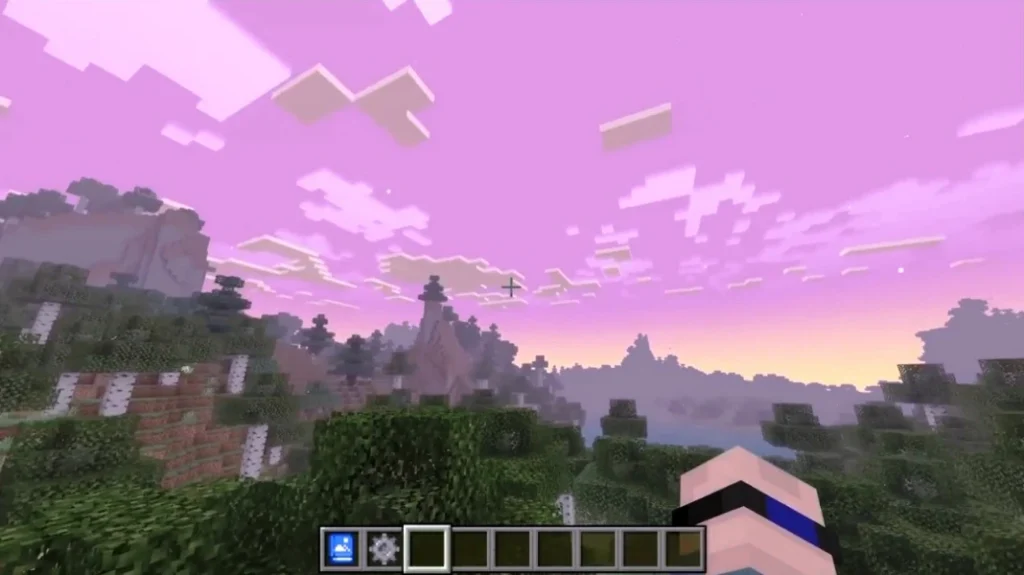
Looking for Actions and Stuff Java Edition? This pack does not exist for Java. Actions and Stuff work only on Minecraft Bedrock Edition. Java Edition uses a completely different animation system, so direct conversion is not possible. Java players can use Fresh Animations as the closest Bedrock alternative, along with Mo Bends and Emotecraft for similar smooth animation improvements on Java Edition.
Why Actions and Stuff Java Edition Does Not Exist
Actions and stuff cannot work on Java Edition due to technical differences between the two Minecraft versions.
| Reason | Explanation |
| Different Animation System | Bedrock uses JSON animations. Java uses a different format. |
| Different File Structure | Resource packs work differently on each version. |
| Different Entity System | Mobs and players are coded differently. |
| No Direct Conversion | Files cannot be converted from Bedrock to Java. |
| Developer Choice | Oreville Studios focuses on Bedrock Edition. |
This is not a limitation we can fix. The two versions of Minecraft are fundamentally different games that share the same name.
Bedrock vs Java Edition Differences
Understanding why packs are not cross-compatible.
| Feature | Bedrock Edition | Java Edition |
| Animation Format | JSON-based | Java-based |
| Resource Packs | .mcpack files | .zip files |
| Mod Support | Limited (Add-ons) | Extensive (Forge/Fabric) |
| Cross-Platform | Yes (all devices) | No (PC only) |
| Animation Mods | Resource packs | Requires mod loaders |
| Actions and Stuff | Available | Not Available |
Java Edition Advantage: While Actions and Stuff is not available, Java has more powerful modding tools. The alternatives below offer features that are actually impossible on Bedrock.
Best Alternatives for Java Edition
These mods provide similar or better animation enhancements for Java Edition.
Fresh Animations (Recommended)
The closest alternative to Actions and Stuff for Java Edition.
| Detail | Information |
| Name | Fresh Animations |
| Type | Resource Pack + Mod |
| Mod Loader | Optifine or Entity Model Features |
| Creator | FreshLX |
| Price | Free |
| Popularity | Most popular animation pack for Java |
Fresh Animations adds dynamic animations to mobs and entities. Cows graze, chickens peck, and wolves wag tails. Very similar to Actions and Stuff.
Recommended | Free | CurseForge
Mo Bends
Advanced player animation mod with combat moves.
| Detail | Information |
| Name | Mod Bends |
| Type | Mod |
| Mod Loader | Forge |
| Focus | Player animations |
| Price | Free |
| Note | Not updated for newest versions |
Mo Bends transforms player movement with realistic bending joints. Walking, running, swimming, and combat all feel different.
Emotecraft
Add emotes and custom animations to your player.
| Detail | Information |
| Name | Emotecraft |
| Type | Mod |
| Mod Loader | Forge and Fabric |
| Focus | Player emotes |
| Price | Free |
| Multiplayer | Others see your emotes if they have mod |
Emotecraft lets you perform dances, gestures, and custom animations. Popular for multiplayer servers and content creators.
Not Enough Animations
Adds more player animations for various actions.
| Detail | Information |
| Name | Not enough animations |
| Type | Mod |
| Mod Loader | Fabric |
| Focus | Player animations |
| Price | Free |
| Update | Actively maintained |
Adds animations for eating, drinking, using maps, climbing ladders, and more. Works well combined with other mods.
Player Animator
Library mod that enables custom player animations.
| Detail | Information |
| Name | Player animator |
| Type | Library mod |
| Mod Loader | Forge and Fabric |
| Focus | Animations framework |
| Price | Free |
| Use | Required by other animation mods |
This is a library that other mods use to add animations. Not standalone, but essential for many animation mods.
Fresh Animations Complete Guide
The recommended alternative to Actions and Stuff Java Edition.
What is Fresh Animations?
Fresh Animations is a resource pack that adds dynamic, lifelike animations to Minecraft Java Edition mobs. It requires either Optifine or the Entity Model Features mod to work.
The pack focuses on making mobs feel alive with behaviors similar to Actions and Stuff:
- Cows lower their heads to eat grass
- Chickens peck at the ground
- Wolves wag their tails
- Villagers look around and blink
- Zombies shamble menacingly
Fresh Animations Features
Mob Animations Included:
| Mob | Animations |
| Cow | Grazing, tail swish, ear flick |
| Pig | Sniffing, trotting |
| Sheep | Grazing, wool bounce |
| Chicken | Pecking, wing flap, dust bath |
| Wolf | Tail wag, stretching, ear movement |
| Cat | Grooming, tail swish |
| Horse | Galloping, mane flow |
| Villager | Blinking, head turning |
| Zombie | Shambling, reaching |
| Skeleton | Aiming, bone rattle |
| Creeper | Stalking movement |
| Spider | Leg coordination |
| Enderman | Jaw movement |
Environmental Features:
- Grass and plant movement (with shader support)
- Dynamic mob behaviors
- Improved idle animations
How to Install Fresh Animations
Method 1: With Optifine
Step 1: Download and install Optifine for your Minecraft version.
Step 2: Download Fresh Animations from CurseForge.
Step 3: Place the downloaded .zip file in your resourcepacks folder.
Location: .minecraft/resourcepacks/
Step 4: Open Minecraft and go to Options > Resource Packs.
Step 5: Activate Fresh Animations by moving it to Selected Packs.
Step 6: Click Done and play.
Method 2: With Entity Model Features (EMF)
Step 1: Install Fabric mod loader.
Step 2: Download the Entity Model Features mod.
Step 3: Download the Entity Texture Features mod (also required).
Step 4: Place both mods in your mods folder.
Step 5: Download Fresh Animations and place it in the resourcepacks folder.
Step 6: Launch Minecraft with Fabric and activate the pack.
Fresh Animations Requirements
| Requirement | Details |
| Minecraft Version | 1.16 to 1.20+ |
| Optifine | Or Entity Model Features |
| RAM | 4 GB minimum recommended |
| Other Mods | Works with most mods |
CurseForge | Free Download
Mo Bends Complete Guide
Advanced player animation mod.
What is Mo Bends
Mo Bends is a Minecraft mod that completely overhauls player animations. Unlike resource packs, this mod alters the player model’s bending and movement at a fundamental level.
Your character will:
- Bend your knees when walking
- Lean into turns
- Have realistic arm movements
- Perform combat stances
- Show swimming strokes
Mo Bends Features
| Animation | Description |
| Walking | Legs bend naturally, arms swing |
| Running | The body leans forward in urgent motion |
| Sneaking | Crouched posture, careful steps |
| Swimming | Actual swimming strokes |
| Combat | Sword swings with body movement |
| Jumping | Crouch before jump |
| Falling | Arms out for balance |
Combat Animations:
- Different attack angles
- Shield blocking stance
- Bow drawing with body tension
- Critical hit animations
How to Install Mo Bends
Step 1: Download and install Minecraft Forge for your version.
Step 2: Download Mo Bends from CurseForge.
Step 3: Place the .jar file in your mods folder.
Location: .minecraft/mods/
Step 4: Launch Minecraft with the Forge profile.
Step 5: Mo Bends activates automatically.
Step 6: Access settings via Mod Options if needed.
Important Note: Mo Bends may not be updated for the latest Minecraft versions. Check compatibility before downloading.
CurseForge | Forge Mod
Custom emotes and animations.
What is Emotecraft
Emotecraft is a mod that adds customizable emotes to Minecraft. You can make your character dance, wave, sit, and perform hundreds of custom animations.
Popular for:
- Content creators
- Roleplay servers
- Multiplayer fun
- Personal expression
Emotecraft Features
Built-in Emotes:
- Wave
- Dance moves
- Sit and lie down
- Point
- Clap
- Many more
Custom Emotes:
- Download community emotes
- Create your own with Blender
- Import from Emotecraft library
- Share with friends
Multiplayer Support:
- Other players see your emotes if they have the mod
- Works on servers
- Popular on roleplay servers
How to Install Emotecraft
Step 1: Choose your mod loader (Forge or Fabric).
Step 2: Install the mod loader.
Step 3: Download Emotecraft for your loader version.
Step 4: Place in the mods folder.
Step 5: Download emotes from the Emotecraft website or community.
Step 6: Place emote files in the Emotecraft folder.
Step 7: Launch the game and use the keybind to open the emote menu.
Forge & Fabric | Free
Comparison Table of All Alternatives
Compare all Actions and Stuff Java alternatives.
| Feature | Fresh Animations | Mo Bends | Emotecraft | Not Enough Animations |
| Player Animations | Limited | Excellent | Emotes Only | Good |
| Mob Animations | Excellent | None | None | None |
| Environmental | Some | None | None | None |
| Mod Loader | Optifine/EMF | Forge | Forge/Fabric | Fabric |
| Latest Version | Yes | Limited | Yes | Yes |
| Multiplayer | Yes | Yes | Yes (if others have mod) | Yes |
| Performance | Light | Medium | Light | Light |
| Difficulty | Easy | Easy | Easy | Easy |
| Best For | Mob animations | Player movement | Emotes/fun | Extra animations |
Which Alternative Should You Choose
Recommendations based on what you want.
Want Mob Animations (Like Actions and Stuff):
- Choose Fresh Animations
- Closest experience to Actions and Stuff
- Cows graze, wolves wag, chickens peck
Want Better Player Movement:
- Choose Mo Bends
- Realistic walking, running, and combat
- Your character bends and moves naturally
Want Fun Emotes:
- Choose Emotecraft
- Dance, wave, sit, custom animations
- Great for multiplayer and content creation
Want Everything:
- Install multiple mods together
- Fresh Animations + Not Enough Animations + Emotecraft
- Most complete animation experience
My Recommendation:
Start with Fresh Animations. It provides the closest experience to Actions and Stuff with mob behaviors and is easy to install. Add other mods later if you want more features.
Can I Convert Actions and Stuff to Java
Short answer: No.
| Question | Answer |
| Can files be converted? | No |
| Can someone port it? | Technically complex, unlikely |
| Will developer make Java version? | No announcements |
| Any workarounds? | No, use alternatives |
The animation systems are completely different. Converting would require rebuilding the entire pack from scratch using Java Edition tools and formats.
Your best option is to use the alternatives listed above. Fresh Animations provides a very similar experience.
Frequently Asked Questions
Will Actions and Stuff ever come to Java?
There are no announcements from Oreville Studios about a Java version. Given the technical differences, it is unlikely.
Is Fresh Animations as good as Actions and Stuff?
Fresh Animations is excellent for mob animations. Some users prefer it. Player animations are more limited compared to Mo Bends.
Can I use multiple animation mods?
Yes, in most cases. Fresh Animations (resource pack) works with Mo Bends (mod) and Emotecraft (mod). Test for conflicts.
Do these alternatives work on servers?
Yes. Resource packs like Fresh Animations work on any server. Mods like Mo Bends only show on your screen if the server has the mod.
Are these alternatives free?
Yes. All alternatives listed on this page are completely free to download and use.
Which mod loader should I use?
Fabric is lighter and faster. Forge has more mod options. For Fresh Animations, Optifine or EMF on Fabric works great.
I have both Java and Bedrock. What should I do?
Use Actions and Stuff on Bedrock. Use Fresh Animations on Java. You get animated mobs on both versions.
Have Bedrock Edition Instead
If you have Minecraft Bedrock Edition (Windows 10/11 from Microsoft Store, Mobile, Console), you can use Actions and Stuff directly.
Check Which Version You Have:
| Sign | Edition |
| Downloaded from Microsoft Store | Bedrock |
| Downloaded from minecraft.net | Java |
| Has Marketplace button | Bedrock |
| Uses separate Launcher | Java |
| Plays with console/mobile friends | Bedrock |
If You Have Bedrock Edition:
You are on the wrong page. Visit our main download page to get Actions and Stuff for free.
Free APK & MCPACK
Summary
Actions and Stuff Java Edition does not exist. But Java players have excellent alternatives:
| Alternative | Best For | Link |
| Fresh Animations | Mob animations | CurseForge |
| Mo Bends | Player movement | CurseForge |
| Emotecraft | Custom emotes | CurseForge |
| Not Enough Animations | Extra player animations | CurseForge |
Recommended: Start with Fresh Animations for the closest Actions and Stuff experience on Java Edition.
Best Alternative | Free | CurseForge
Free APK & MCPACK Download
Questions? Visit our FAQ page or contact us.