
Actions and Stuff 1.11 Physics Update: Complete Changelog
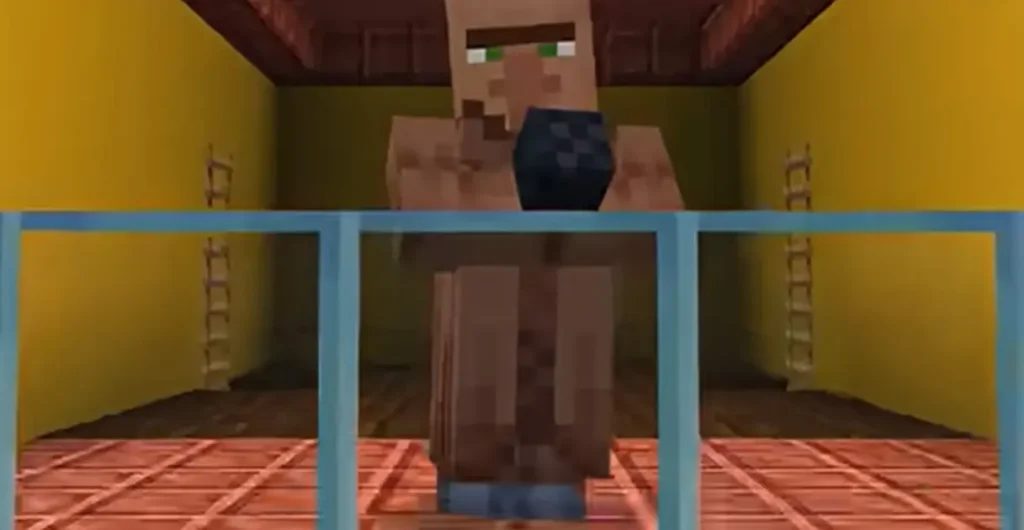
Oreville Studios shipped 1.11 as the Physics Update, and the name earns itself within a few minutes of play. Spears point where you look now, armour sets each carry their own gallop, and light emitting blocks throw coloured light across the ground.
Actions and Stuff 1.11 is a 28.18 MB MCPACK built for Minecraft Bedrock 1.26.10 and above. You can download the file below, though it is worth checking your game version first. Everything on this page was pulled from inside the pack itself rather than a press release.
Download Actions and Stuff 1.11 MCPACK
| Version | 1.11 |
| Pack Build | 1.1.39 |
| File format | MCPACK |
| File size | 28.18 MB |
| Minimum Minecraft | Bedrock 1.26.10 |
| Developer | Oreville Studios Ltd |
| Price | Free |
Free | Version 1.11 | Minecraft Bedrock 1.26.10 and above
What Is New in Actions and Stuff 1.11
| Area | What Changed |
| Sulfur Cube | Full redesign with new reactions and nametag variants |
| Spears | Point in the direction you look, new audio per tier |
| Lighting | Coloured illumination from light emitting blocks |
| Audio | New sounds for horses, creepers, slimes and chickens |
| Arrows | 3D arrow models, new toggle in settings |
| Fixes | Over 40 corrections across mobs, items and animations |
The headline change is the Sulfur Cube, which got a full redesign with smoother motion, fresh reactions and a noticeable amount of extra particle work. Nametag variants turn Sully into footballs, basketballs, beach balls and a long list of other shapes, which is the kind of detail that sounds minor until you see it in a world.
Spear handling changed next, and this is the change that gives the update its name. A spear now points in the direction you are looking, so aiming upward raises the tip rather than leaving it flat. Each spear tier picked up its own attack audio, and even the spin animation carries sound of its own.
Audio work runs through the whole release. Horses and Zombie Horses gallop differently depending on the armour set they wear, which is easier to notice than it sounds. Snowy Creepers carry their own fuse and explosion sounds, Snowy Slimes got jump and hurt audio, and the Parched spins its head with something close to the Skeleton sound. Villager Chickens now speak in Villager, which players either love or find deeply unsettling.
Lighting is where Vibrant Visuals owners see the biggest shift, since light emitting blocks now cast coloured illumination across nearby surfaces. Water reads less transparent than it did, and the fire overlay returned after sitting out since the 1.8 release. Spawn Eggs picked up PBR textures along the way.
A long list of fixes landed with it, more than forty in total. Dive animations show in multiplayer again, cats stopped glowing under Vibrant Visuals, and Turtle Helmet textures finally behave. Mace enchantment flicker, Fox item positions, Iron Golem step particles and Boat first person animations were all corrected in the same pass.
Actions and Stuff 1.11 Requirements
The numbers below come from the manifest inside the pack file.
| File Format | MCPACK |
| File size | 28.18 MB |
| Pack Version | 1.1.39 |
| Minimum Minecraft | Bedrock 1.26.10 |
| Developer | Oreville Studios Ltd |
| Rendering | PBR, works with Vibrant Visuals |
That minimum matters more than most people expect, and it catches out a lot of players who assume any recent Bedrock build will do. A device running 1.21 will accept the import and then quietly ignore the pack, with no error message to explain why.
Vibrant Visuals is optional rather than required. The pack carries a message for devices that cannot run it, and every animation still works when the lighting features sit idle. Minecraft’s own documentation covers which devices support the feature.
Actions and Stuff 1.11 Experience Modes Explained
This Bedrock resource pack ships three subpacks, and you pick one after the pack is active. These are not resolution settings, which is the single most common misunderstanding about how the pack works. Each mode changes how much of the pack actually applies to your world.
Custom Experience
Built for players who already run a texture pack they like. Actions and Stuff supplies the animations and effects while your existing textures stay exactly where they are, so nothing you already set up gets overwritten.
Vanilla Experience
Keeps Minecraft’s own textures and layers the custom animations and effects on top, which suits players who want the movement without the visual overhaul. The changelog refers to this mode as 32x. Villagers, Witches and Turtle Helmets all received fixes here in recent releases.
Full Experience
The complete release with textures included, where every custom model, particle and animation applies at once. This is the mode behind most screenshots and videos you have seen of the pack.
Settings You Can Change Inside the Pack
Fourteen settings sit inside the pack once it is active, and most players never open them. Go to Global Resources, tap the gear icon next to the pack, and the full list appears.
| Setting | What It Does |
| Morphs | Replaces your player model |
| Entity Biome Variants | Natural spawning or nametag only |
| Axolotl Colour | Pink, gold, cyan or brown |
| Armour Visibility | Both views, third person, or hidden |
| Tool Enchantment Glint | Custom glint, outline, or vanilla |
| Enchantment Effect Colour | Magenta, green, orange or white |
| Totem of Undying Opacity | Four transparency rules |
| Enable Expressions | Turn off if faces cause trouble |
| 3D Tools | Custom tool models |
| 3D Arrows | Custom arrow model, new in 1.11 |
| Costumes | Leather armour costumes |
| Item Swap Sounds | Audio when switching items |
| Better Rain Particles | Custom or vanilla rain |
| Legacy Baby Chick Model | Older chick model |
Morphs is the one worth finding first, because it replaces your character model entirely rather than tweaking a detail. The options cover Mini Me, Rana the Frog Girl, and Goober the Slime, and they arrived with the 1.10 release.
Actions and Stuff 1.11 vs 1.10
Both releases run on the same minimum, Bedrock 1.26.10, so neither one gives you broader device support than the other.
| Version | Main Feature | File Size | Pack Build |
| 1.10 | Player Morphs | 30.59MB | 1.1.31 |
| 1.11 | Physics Update and Sulfur Cube | 28.18 MB | 1.1.39 |
The size drop is not content being removed, which is the obvious assumption and the wrong one. Version 1.11 uses newer pack compression, so the same work fits into a smaller file. The texture count actually went up, from 7,943 to 8,347.
Pick 1.11 unless you have a specific reason to stay back. Details on the earlier build sit on the 1.10 release page.
How to Install Actions and Stuff 1.11 MCPACK
Tap or double-click the MCPACK and Minecraft handles the import for you. Open Settings, go to Global Resources, and move the pack into Active Packs, then tap the gear icon to pick your Experience mode.
Platform steps differ in the details rather than the idea. Android users have a tap to import route covered on the Android install guide, and Windows players can fall back on the manual folder method described on the PC guide.
Console and iOS players cannot import MCPACK files at all, since Apple and the console platforms block external file installs entirely. The Marketplace listing is the only route on those devices.
Fixing Common 1.11 Problems
The pack imported but nothing changed
Open Settings, go to Global Resources, and check whether the pack sits in Active Packs or Available Packs. Moving it across fixes this most of the time, and it takes about ten seconds.
The pack will not apply at all
Check your Minecraft version first, because anything below Bedrock 1.26.10 will accept the import and then ignore the pack completely. This is the most common cause with 1.11 specifically, and it produces no error message at all.
Animations show but textures look wrong
You are probably on Custom Experience, which deliberately keeps your own textures in place. Switch to Full Experience through the gear icon if you want the complete look.
The game lags after activating
Switch to Vanilla Experience, which applies fewer texture changes while keeping every animation. If that does not settle it, the full troubleshooting guide covers render distance and background app fixes in more depth.
Version History at a Glance
Both releases run on the same minimum, Bedrock 1.26.10, so neither one gives you broader device support than the other.
| Version | Update Name |
| 1.11 | Physics Update |
| 1.10 | Player Morphs and Superhero Animations |
| 1.9 | Christmas Update |
| 1.8 | Vibrant Visuals Update |
| 1.7 | Earlier release |
| 1.6 | Earlier release |
Oreville has teased 1.12, though nothing about the release has been made public yet. Older builds and their files sit on the Actions and Stuff older versions page.
Common Questions About Actions and Stuff 1.11
This changelog was checked against the Actions and Stuff 1.11 MCPACK manifest and the in-game settings list inside the pack.